Product roundup
AliExpress Portable Monitors: 6 Best Travel Screens (2026)
Affiliate link
Affiliate links are used in this guide. We may earn a commission from qualifying purchases at no additional cost to you.
At a Glance: Top Picks
| Product | Key Feature | |
|---|---|---|
 #1 ZSUS 14" 2K (2160x1440) | 15:10 (similar to 3:2) - provides significantly more vertical space than 16:9. | Check price |
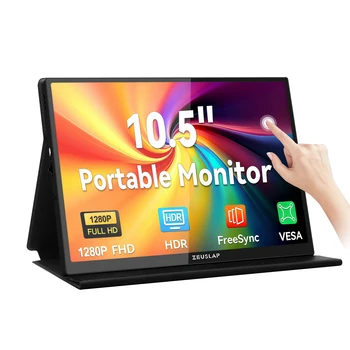 #2 ZEUSLAP 10.5" Touch Screen | 1920x1280 resolution (15:10 ratio) - surprisingly sharp for its size. | Check price |
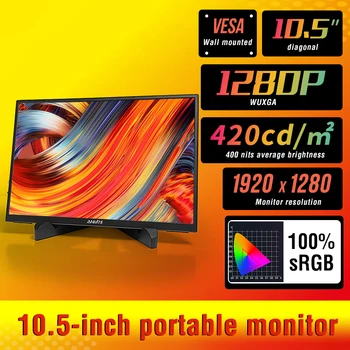 #3 Anmite 10.5" Portable Monitor | Super thin and light, fits into almost any tablet sleeve or backpack pocket. | Check price |
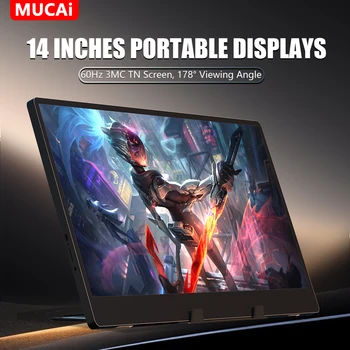 #4 MUCAI 14" Portable Display | 768p (1366x768) - basic resolution suitable for text-heavy work and monitoring. | Check price |
 #5 ZSUS 10.5" 1280P IPS | Focuses on the essentials: high brightness and IPS color accuracy. | Check price |
ZSUS 14" 2K (2160x1440)
A unique 3:2 style aspect ratio that is perfect for vertical workflows.
Technical Specs
Aspect Ratio
15:10 (similar to 3:2) - provides significantly more vertical space than 16:9.
Resolution
2K (2160x1440) for incredibly sharp text and fine detail.
Brightness
350cd/m² with HDR10 support.
Expert Review
ZEUSLAP 10.5" Touch Screen
Feature-packed 10.5-inch powerhouse with touch support.
Technical Specs
High Resolution
1920x1280 resolution (15:10 ratio) - surprisingly sharp for its size.
Interaction
10-point capacitive touch screen for intuitive navigation.
Brightness
420cd/m² - one of the brightest small panels available.
Expert Review
Anmite 10.5" Portable Monitor
The ultimate lightweight companion for business travel.
Technical Specs
Extreme Portability
Super thin and light, fits into almost any tablet sleeve or backpack pocket.
Display Tech
IPS panel with AMD FreeSync Pro and HDR10 support.
Brightness
420cd/m² - excellent visibility in well-lit environments.
Expert Review
MUCAI 14" Portable Display
The most affordable way to extend your laptop screen.
Technical Specs
Resolution
768p (1366x768) - basic resolution suitable for text-heavy work and monitoring.
Value
The most affordable 14-inch option with built-in speakers and universal connectivity.
Connectivity
Includes Mini HDMI, USB-C, and a 3.5mm audio jack.
Expert Review
ZSUS 10.5" 1280P IPS
Simple, lightweight, and effective for secondary monitoring.
Technical Specs
Simplicity
Focuses on the essentials: high brightness and IPS color accuracy.
Resolution
1920x1280 - perfect for keeping Discord or chat windows visible.
Material
Sturdy build with a matte finish to reduce screen glare.
Expert Review
Compact Monitor Buying Guide
Aspect Ratio for Travel
Small screens can feel cramped in traditional 16:9. We recommend the 15:10 (or 3:2 style) aspect ratio found on the ZSUS and ZEUSLAP 10.5" models. The extra height makes reading emails and documents much more comfortable on a small display.
Powering via Handhelds
If using with a Steam Deck or ROG Ally, the handheld can often power the monitor directly through USB-C. However, for maximum brightness, we recommend plugging the monitor into a power bank, which can then 'pass-through' charge your handheld.
Port Selection
Ensure your compact monitor has at least one 'Full-Featured' USB-C port. This allows for power, video, and (if applicable) touch data over a single cable, which is critical for maintaining a clean mobile setup.
Frequently Asked Questions
Related Shopping Guides
Last updated: January 23, 2026
As an affiliate, we earn from qualifying purchases made through the links on this page. Pricing on AliExpress can change based on current sales and coupons.